
Imagine walking into your home on a cold evening, and before you even reach the thermostat, the temperature is already warming up. Your lights gently fade on as you enter each room, your security system disarms automatically, and your favorite music starts playing softly in the background. This isn’t science fiction—it’s the reality of understanding and implementing smart home basics for beginners. If you’ve been curious about home automation but felt overwhelmed by the technology, you’re not alone. Many people assume smart homes are complicated, expensive, or require advanced technical skills. The truth? Getting started with smart home basics for beginners is easier and more affordable than ever before in 2026.
The smart home industry has evolved dramatically over the past few years, with manufacturers focusing on user-friendly interfaces and straightforward installation processes. Whether you want to save money on energy bills, increase your home’s security, or simply enjoy the convenience of automation, understanding smart home basics for beginners gives you the foundation you need. This guide walks you through everything you need to know to start your smart home journey with confidence, avoiding common pitfalls and making informed decisions about which devices actually matter for your lifestyle.
In this article, we’ll explore what makes a smart home work, the essential devices you should consider, how to choose the right ecosystem for your needs, and practical steps to get started without breaking the bank. By the end, you’ll have a clear roadmap for transforming your living space into a connected, intelligent home.
Understanding What Makes a Smart Home Work
At its core, a smart home is simply a collection of connected devices that communicate with each other and respond to your commands. The magic happens through a combination of hardware, software, and internet connectivity. When you’re learning smart home basics for beginners, it’s important to understand that you don’t need to automate everything at once. Instead, you build gradually, adding devices as you identify what would genuinely improve your daily life.
The Three Essential Components
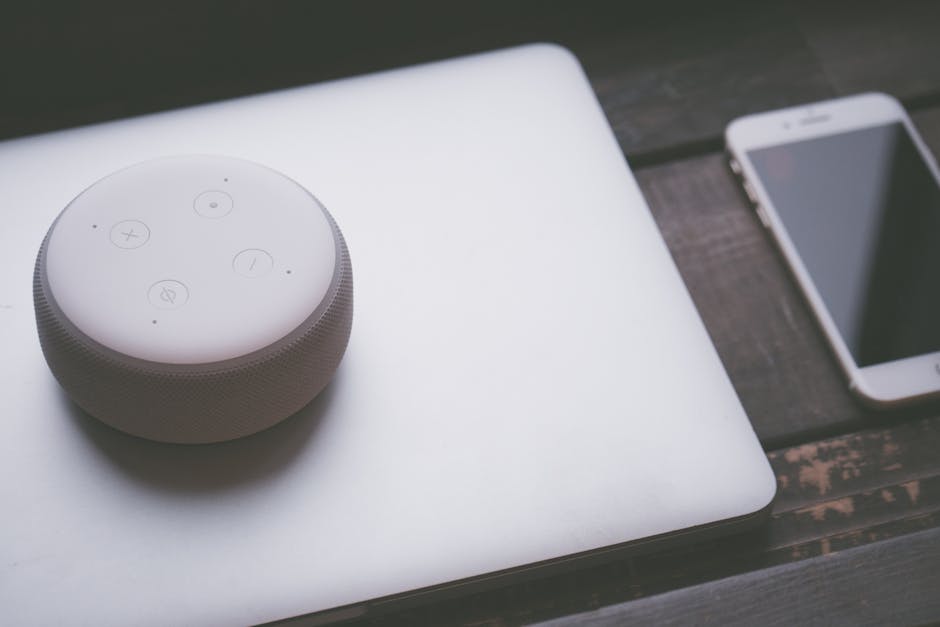
Every smart home system relies on three fundamental components working together. First, you have the smart devices themselves—things like smart speakers, thermostats, lights, locks, and cameras. Second, you need a communication protocol that allows these devices to talk to each other, typically Wi-Fi, Bluetooth, Zigbee, or Z-Wave. Third, you need a central hub or app that lets you control everything, often called a smart home platform or ecosystem.
Think of it like this: a smart light bulb is just a bulb without connection. Add Wi-Fi capability and an app, and suddenly you can turn it on and off from your phone. Add voice control through a smart speaker, and you can control it with your voice. Add automation rules, and it can turn on automatically when you arrive home. This layered approach is perfect for smart home basics for beginners because you can start simple and add complexity as you become comfortable.
Choosing Your Ecosystem
One of the first decisions you’ll make when exploring smart home basics for beginners is which ecosystem to join. The three major players are Amazon Alexa, Google Home, and Apple HomeKit, each with different strengths. Amazon Alexa offers the widest device compatibility and tends to be the most budget-friendly. Google Home excels at natural language understanding and integrates beautifully with other Google services. Apple HomeKit prioritizes privacy and security, though it has fewer compatible devices.
Here’s what matters: most smart devices work with multiple ecosystems, so you’re not locked into one choice forever. However, picking one as your primary ecosystem makes setup easier and ensures your devices communicate smoothly. For beginners, we recommend starting with whichever platform you already use most—if you have an Amazon Prime account, Alexa might be natural. If you use Google services extensively, Google Home could be your best fit.
Essential Smart Home Devices for Beginners
When you’re starting with smart home basics for beginners, you don’t need dozens of devices. Instead, focus on items that solve real problems in your daily routine. Here are the devices that offer the best return on investment for most people.

Smart Speaker or Display
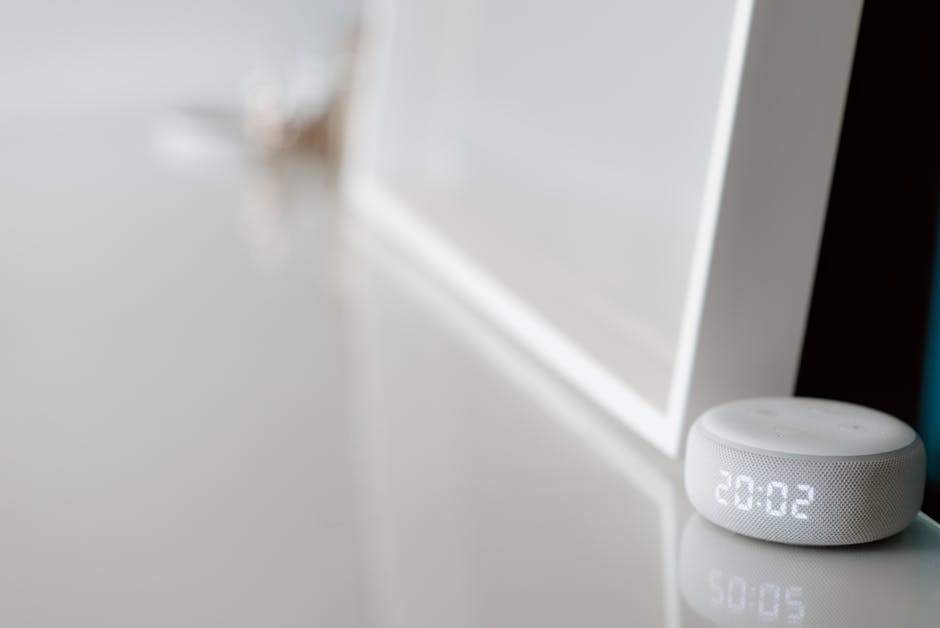
A smart speaker is often the best entry point for smart home basics for beginners. It serves as your central control hub, allowing you to give voice commands, ask questions, set timers, and control other smart devices. Smart displays add a visual component, showing you weather, recipes, security camera feeds, and more. For beginners, a smart speaker is typically the most affordable way to start experiencing home automation and understanding how voice control works in practice.
Smart Lighting
Smart bulbs or smart light switches are excellent second purchases for smart home basics for beginners. They’re visible in your daily life, so you’ll immediately appreciate the convenience. You can schedule lights to turn on at sunset, dim them for movie night, or have them flash when your doorbell rings. Start with one room—perhaps your bedroom or living room—to see how automation impacts your routine before expanding throughout your home.
Smart Thermostat
A smart thermostat learns your temperature preferences and adjusts automatically, potentially saving you money on heating and cooling costs. This is one of the few smart home devices that typically pays for itself through energy savings. For smart home basics for beginners, a smart thermostat demonstrates automation’s real-world value in a tangible way.
Smart Door Lock
Smart locks let you unlock your door remotely, create temporary access codes for guests or service providers, and receive notifications when someone enters. This combines security with convenience—no more fumbling for keys or worrying if you locked the door. It’s particularly valuable if you have family members with varying schedules.
Security Cameras
Whether it’s a doorbell camera, indoor camera, or outdoor surveillance, security cameras provide peace of mind and valuable documentation if something goes wrong. Many models offer cloud storage, motion detection, and two-way audio. For smart home basics for beginners, starting with a single doorbell camera often makes sense before expanding to additional cameras.
Setting Up Your Smart Home Step by Step
Now that you understand what devices are available, let’s walk through the actual process of setting up smart home basics for beginners. This doesn’t require technical expertise—manufacturers have designed these systems with everyday users in mind.
Step 1: Choose Your Primary Hub Device
Start by selecting your main smart speaker or hub. This will be your command center. Set it up by downloading the appropriate app (Alexa, Google Home, or HomeKit), creating or signing into your account, and connecting it to your Wi-Fi network. The setup process is typically guided and takes just a few minutes. This single device becomes the foundation for everything else you’ll add.
Step 2: Add Your First Smart Device
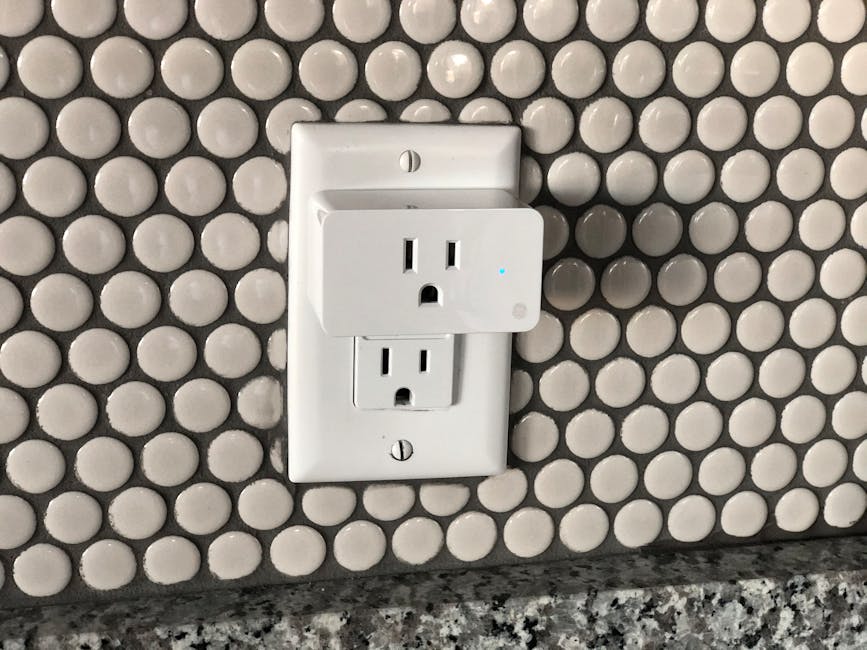
Choose one additional device—perhaps a smart bulb or smart plug—and set it up using the same app or ecosystem. Most devices follow a similar pattern: install the device, open the app, select “add device,” and follow the prompts. The app will guide you through connecting it to Wi-Fi and naming it. Take time to give devices clear, descriptive names like “bedroom lamp” or “living room fan” rather than generic names like “device1.” This makes voice control much easier.
Step 3: Create Basic Automations
Once you have a hub and at least one device, experiment with simple automations. Most apps let you create rules like “turn on bedroom lights at 7 AM on weekdays” or “turn off all lights when I leave home.” Start with one or two automations to see how they work. As you become comfortable, you can create more complex routines and automations. This is where smart home basics for beginners truly comes alive—when your home starts responding to your schedule and preferences automatically.
Step 4: Expand Gradually
Add new devices one at a time rather than buying everything at once. This approach lets you fully understand each device, avoid overwhelming yourself, and ensure each addition genuinely improves your life. After using your system for a month, you’ll have a much clearer sense of what devices would be most valuable for your specific situation.
Connectivity and Network Considerations
A crucial part of smart home basics for beginners is understanding how devices connect. Most smart home devices require a reliable Wi-Fi connection, though some use Bluetooth or other protocols. Your home’s Wi-Fi network is the backbone of your smart home, so it deserves attention.
Wi-Fi Requirements
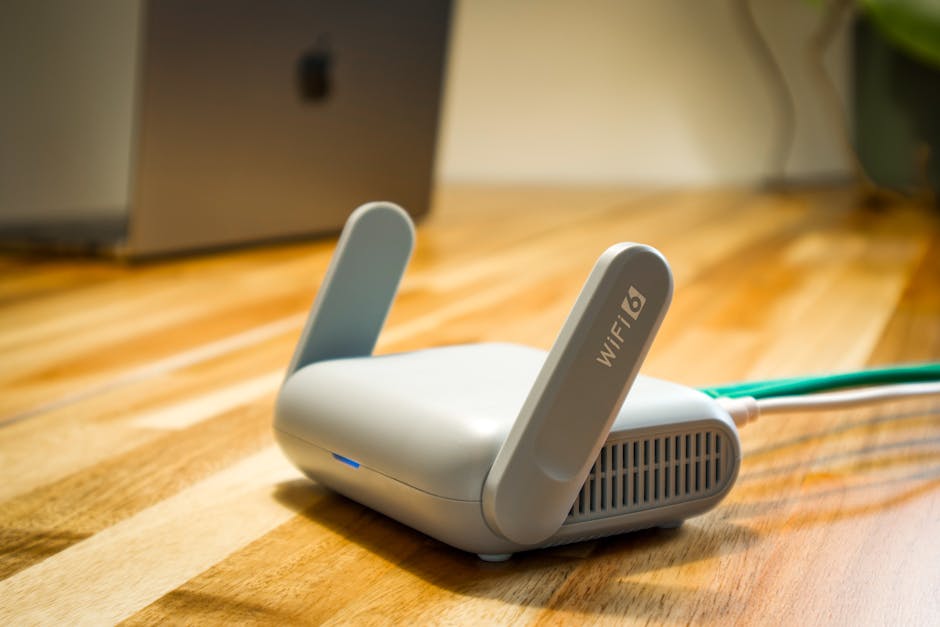
For smart home basics for beginners, you don’t need blazing-fast internet speeds, but you do need reliable coverage throughout your home. If you have dead zones where your phone struggles to connect, your smart devices will too. Consider your router’s placement and range. Many people find that upgrading their router or adding a mesh Wi-Fi system dramatically improves their smart home experience. Your smart devices don’t consume much bandwidth individually, but dozens of devices constantly connecting can strain a weak network.
Network Security
When setting up smart home basics for beginners, security matters. Use a strong, unique password for your smart home ecosystem account. Enable two-factor authentication if available. Keep your devices and apps updated with the latest firmware and software. Create a separate Wi-Fi network for your smart devices if your router supports it—this adds an extra layer of protection. While smart home hacks are rare, basic security practices prevent problems.
Pro Tips and Best Practices
Start with Problems, Not Gadgets
Rather than buying devices because they’re cool, identify specific problems in your daily routine that automation could solve. Do you always forget to turn off lights? Get smart bulbs. Do you struggle to remember if you locked the door? Get a smart lock. This approach ensures you’ll actually use your devices and appreciate their value.
Use Voice Commands Liberally
One of the biggest joys of smart home basics for beginners is voice control. Don’t just use your smart speaker for timers and weather—practice controlling your devices by voice. It takes a few days to get comfortable, but voice control becomes incredibly natural and convenient once you do.
Create Routines for Common Scenarios
Most smart home platforms let you create routines that trigger multiple actions with a single command or condition. Create a “Good Morning” routine that turns on lights, starts coffee, and reads the news. Create a “Leaving Home” routine that locks doors, arms security, and turns off lights. These routines make your home feel truly intelligent and personalized.
Don’t Overautomated Your Home
It’s tempting to automate everything, but too much automation can feel creepy or unpredictable. Leave some manual control over important devices like locks and thermostats. You want your home to feel responsive to your needs, not like it’s making decisions for you.
Label Everything Clearly
When you have multiple smart devices, clear naming becomes essential. Use descriptive names that include location and function: “kitchen overhead light,” “master bedroom fan,” “front door lock.” This makes voice control intuitive and helps family members understand the system.
Test Automations Before Relying on Them
When you create an automation, test it several times in different scenarios before depending on it. Make sure your “arrive home” automation actually triggers when you arrive, not just when you’re nearby. This prevents frustration and ensures your automations work as expected.
Common Mistakes to Avoid
Buying Too Much Too Soon
The biggest mistake beginners make is purchasing dozens of devices at once. You end up overwhelmed during setup, confused about which devices work best together, and potentially stuck with devices you don’t actually use. Smart home basics for beginners works best when you expand gradually, learning as you go.
Ignoring Compatibility Issues
While most modern smart devices work with multiple ecosystems, not all devices work with all platforms equally well. Before buying a device, verify it works smoothly with your chosen ecosystem. Some devices have limited features when used with certain platforms, which can be frustrating once you’ve already made the purchase.
Neglecting Your Wi-Fi Network
Many people jump into smart home basics for beginners without evaluating their Wi-Fi situation. If your network is weak or unreliable, your smart devices won’t work well no matter how good they are. Invest in your network infrastructure before or alongside your smart devices.
Creating Overly Complex Automations
It’s easy to create automations with multiple conditions and triggers that rarely work as intended. Start simple: “turn on this light at sunset.” Once that works perfectly, build complexity. Complex automations often fail silently, leaving you frustrated and doubting the entire system.
Forgetting About Family Members
If you live with others, involve them in your smart home setup. Make sure they understand how to use voice commands, access apps, and manually control devices if needed. Smart home basics for beginners should improve life for everyone in your home, not just the person setting it up.
Building Your Smart Home on a Budget
One common misconception about smart home basics for beginners is that it requires significant investment. While you can certainly spend thousands, you can also build a functional, enjoyable smart home for a few hundred dollars. Here’s how:
Start with an affordable smart speaker—the entry-level options are quite inexpensive and fully functional. Add one or two smart bulbs to experience automation. Consider a smart plug, which lets you control any device plugged into it without buying a “smart” version. Look for sales during major shopping events. Many retailers offer significant discounts on smart home devices several times per year. Read our guide on how to start a smart home on a small budget to discover specific strategies for building your system affordably.
Next Steps: Expanding Your System
Once you’ve mastered smart home basics for beginners with your initial setup, you’ll naturally think about what comes next. Consider adding a smart thermostat for energy savings, a smart lock for security and convenience, or additional cameras for comprehensive home monitoring. Each addition should solve a real problem or significantly improve your quality of life. For detailed guidance on the full setup process, check out our complete beginner’s guide for setting up a smart home from scratch.
You might also want to explore smart home hubs that serve as central control points for multiple devices, especially if you plan to build a larger system. A dedicated hub often provides better reliability and performance than relying solely on a smart speaker. Learn more about choosing the right hub in our article on the best smart home hubs for 2026.
Pro Tips and Best Practices for Long-Term Success
Keep Your System Updated
Regularly update your devices’ firmware and your apps. Manufacturers release updates that improve performance, add features, and patch security issues. Enable automatic updates when available to keep everything current without thinking about it.
Document Your Setup
Keep a simple list of your devices, their locations, Wi-Fi names, and passwords. This helps when troubleshooting problems and is invaluable if someone else needs to help you or if you need to reset a device. A simple spreadsheet or note on your phone works perfectly.
Join Online Communities
Subreddits, forums, and Facebook groups dedicated to smart homes are filled with helpful people who’ve already solved the problems you’re facing. Don’t hesitate to ask questions—most smart home enthusiasts love helping beginners get started.
Experiment Fearlessly
The beauty of smart home basics for beginners is that you can’t really break anything. Try different automations, test voice commands, and experiment with settings. The worst that happens is you turn off an automation and go back to manual control.
Think About Guest Access
As your system grows, you’ll want to give family members and guests access to certain devices. Most platforms let you create temporary access codes for smart locks and share device control with specific people. Set these up thoughtfully to maintain security while improving convenience.
Review and Adjust Regularly
Every few months, review your automations and device usage. Are you actually using that device you bought three months ago? Is an automation no longer relevant to your schedule? Smart home systems work best when you actively manage them rather than just letting them sit unchanged.
Common Mistakes to Avoid When Getting Started
Assuming You Need a Specific Brand
Many beginners think they must commit to one brand for everything. In reality, most devices work across brands and ecosystems. You can mix and match as long as they’re compatible with your chosen platform. This flexibility is one of the best parts of modern smart home systems.
Overlooking Privacy Settings
Smart speakers and cameras collect data. Review your privacy settings in your smart home app. Disable features you don’t need, like voice purchasing or activity recording. Understanding what data your devices collect and how it’s used is an important part of responsible smart home basics for beginners.
Setting Automations You Don’t Need
Just because you can automate something doesn’t mean you should. Automations that rarely trigger or don’t provide real value just clutter your system and make troubleshooting harder. Focus on automations that genuinely improve your daily life.
Conclusion
Smart home basics for beginners doesn’t require advanced technical knowledge, significant expense, or overwhelming complexity. By starting with a smart speaker, adding devices one at a time, and focusing on problems you want to solve, you can build a smart home that genuinely improves your daily life. The key is taking that first step, staying patient as you learn, and expanding gradually as you become comfortable with the technology.
Your journey into home automation starts with understanding these fundamentals and making your first purchase. Choose your ecosystem, set up your first device, and experience the convenience and control that smart home technology offers. Within weeks, you’ll wonder how you ever lived without it. Ready to dive deeper? Explore our comprehensive guide on what is a smart home to understand how all these pieces fit together in the larger picture of modern home automation.
Frequently Asked Questions About Smart Home Basics for Beginners
Do I need a smart home hub to get started with smart home basics for beginners?
Not necessarily. A smart speaker like an Echo or Google Home can function as your hub initially. However, as you add more devices, a dedicated hub often provides better reliability and performance. For most beginners starting small, a smart speaker is sufficient.
What’s the cheapest way to start learning smart home basics for beginners?
Start with an affordable smart speaker and one smart plug. This gives you voice control and the ability to automate any plugged-in device. Total investment is usually under $50, making it the most budget-friendly entry point to smart home basics for beginners.
Can I use smart home basics for beginners if I rent my home?
Absolutely. Focus on devices that don’t require permanent installation, like smart speakers, plugs, bulbs, and portable cameras. Avoid devices that require hardwiring like thermostats or door locks unless your landlord permits them. Most rental-friendly smart home basics for beginners solutions are actually the most portable and flexible.
How long does it take to set up smart home basics for beginners?
Setting up your first device typically takes 10-20 minutes. Each additional device adds another 5-10 minutes. The real learning curve comes from understanding automations and getting comfortable with voice control, which takes a few weeks of regular use to feel natural.
Is smart home basics for beginners safe and secure?
Yes, when you follow basic security practices. Use strong passwords, enable two-factor authentication, keep devices updated, and review privacy settings. Smart home devices are generally as secure as any connected technology when properly configured.
What if I don’t like voice control for smart home basics for beginners?
Voice control is convenient but not required. You can control all smart devices through their apps or physical buttons. However, most people find voice control becomes their preferred method once they get comfortable with it, so it’s worth trying even if you’re skeptical initially.



Write Your Review
No reviews yet. Be the first to share your experience!